
Getting the credentials
Credentials are needed to authenticate against our API's, or to use our plugins or SDK's
For payment processing
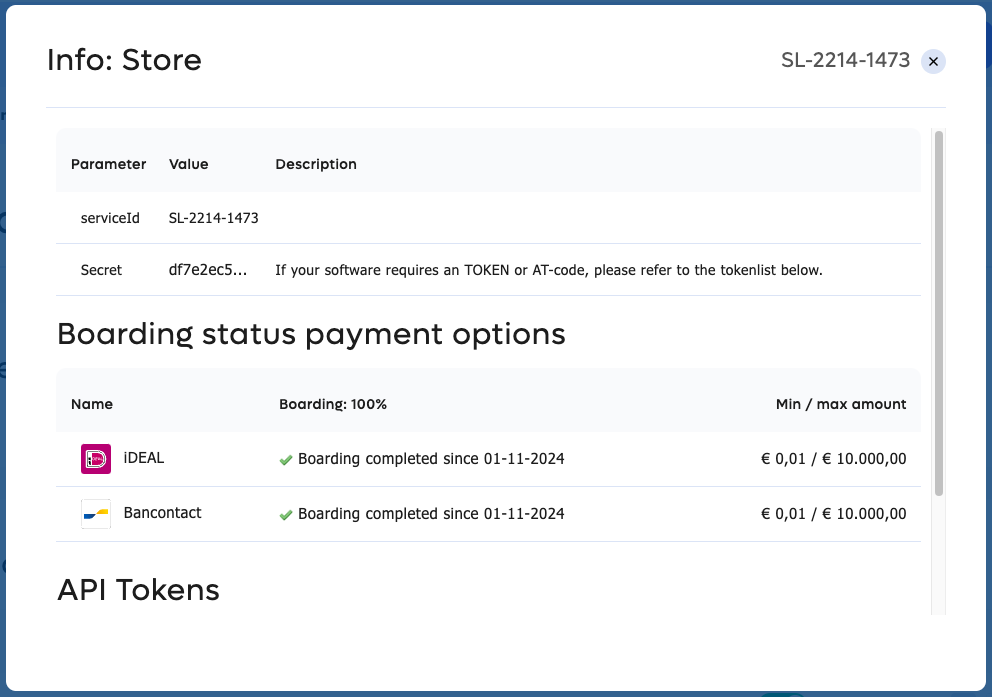
To use our Transaction Gateway Unit for payment processing you need to have a sales location with enabled payment methods. Please refer to the enabling payment methods page for more information.
Navigate to Settings > Sales locations and click on the SL-code. You need the SL-code and the secret as credentials. You can copy it to your clipboard by clicking on the relevant data items.
For merchant management & transaction operations
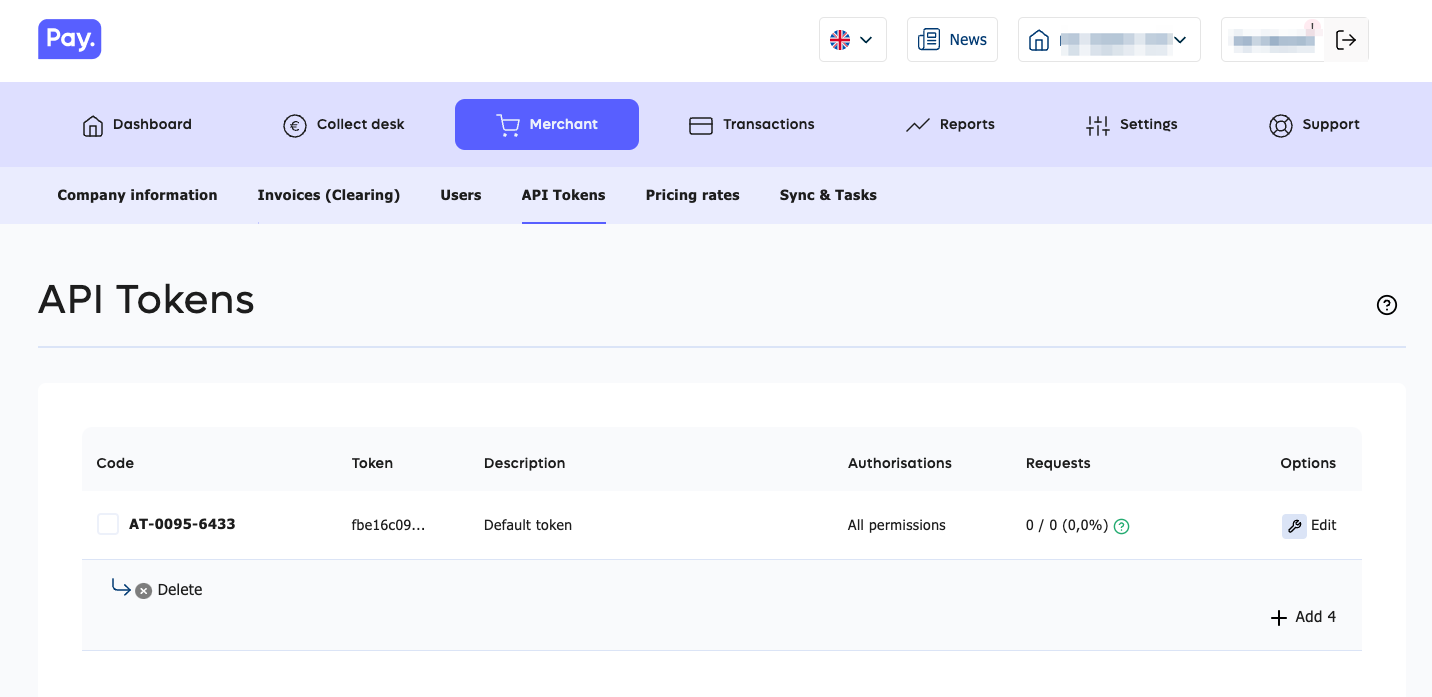
To use our merchant management or transaction operations API's you need to have an API token.
Navigate to Merchant > API tokens. You need to have the AT-code and the token (the API-key) as credentials. You can copy it to your clipboard by clicking on the relevant data items.
For our plugins, libraries & SDK's
To connect to your favourite integrations you will almost always need the following:
- AT-code (the AT code belonging to your API token
- API token (key)
- SL-code (refers to your sales location)
Updated about 1 year ago