
CS-Cart
Information
| Summary | |
|---|---|
| Available payment methods | eCommerce: all online payment methods |
| Name | CS-Cart | e-Commerce platform | Plugins |
| Download location | GitHub |
| Refunds | Via Pay. |
| New payment options | Update required |
Set-up
Installation & configuration
You can easily install the app via your backend. Have your credentials ready.
- Download the latest version from GitHub
- Log into your CS-Cart backend and go to Add-ons > Manage Add-ons
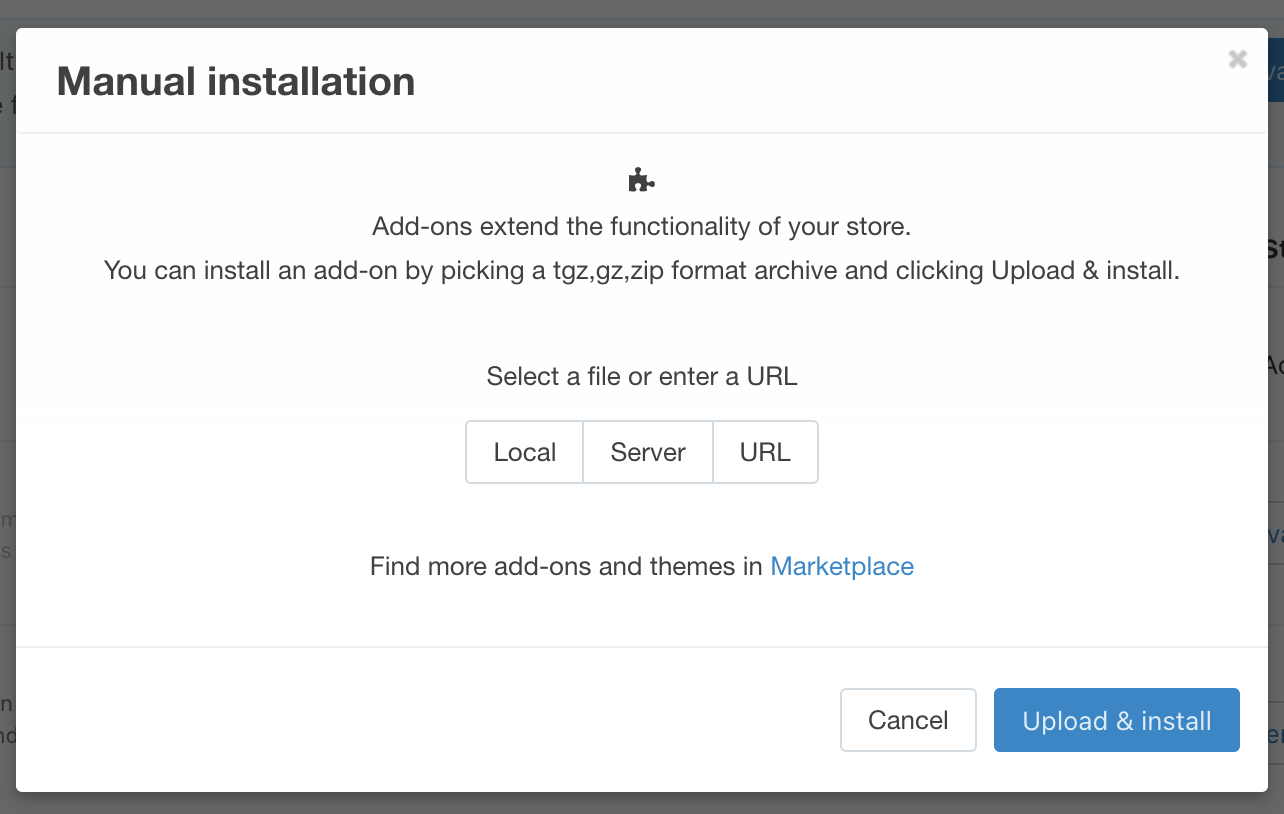
- Click on Settings > Manual Installation
- Upload the zip file and click on Upload & install
-
You will now see the plugin in your Add-ons and click on Activate (it is disabled by default)

-
Under Add-ons, click on the name PAY. to open the settings menu, enter your credentials here and click Save
You have now successfully connected your Pay. account to CS-Cart
Updating the plugin
1. Download the latest version from GitHub
2. Log into your CS-Cart backend and go to Add-ons > Manage Add-ons
3. Click on Settings > Manual Installation
4. Upload the zip file and click on Upload & install
- Follow the instructions from CS-Cart and select either Safe way or Dangerous way
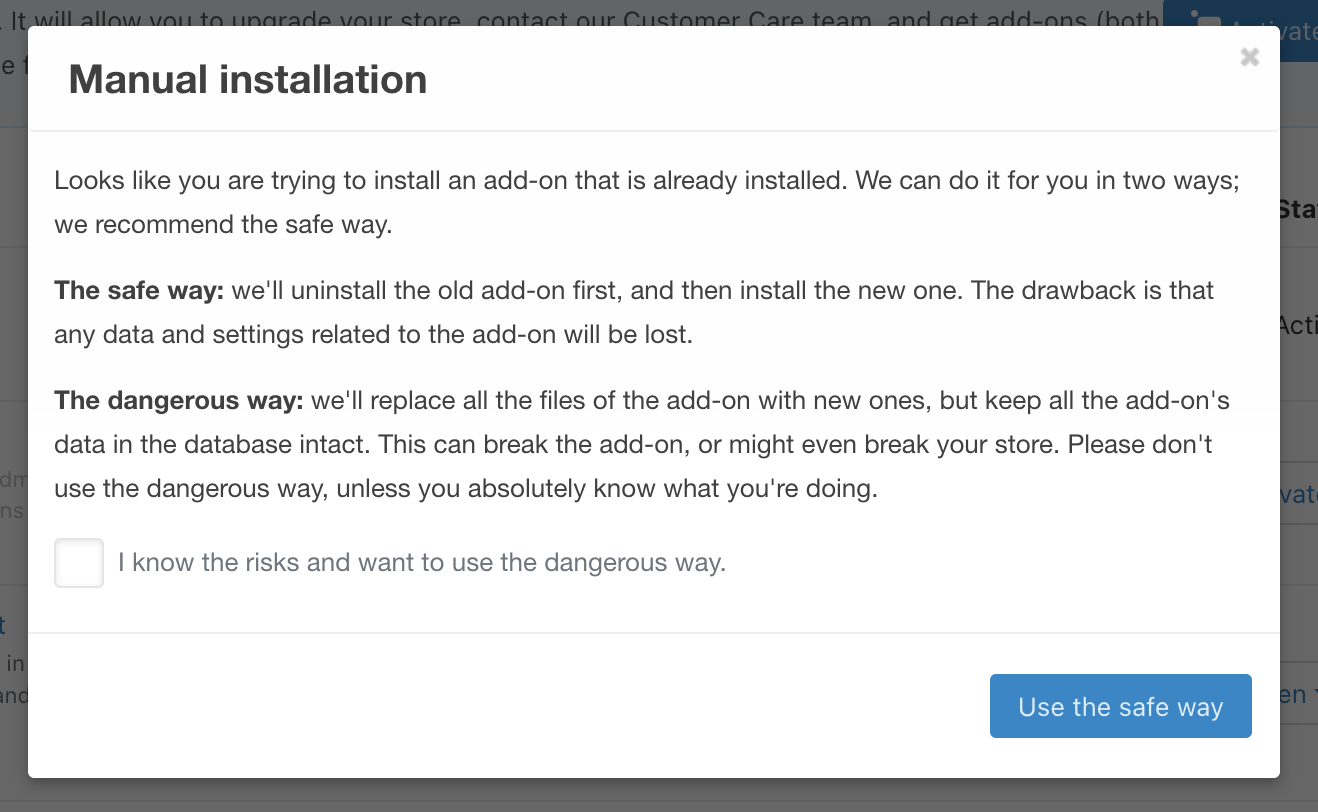
- Please check, depending on your installation choices, your credentials and payment methods. You might have to re-enter and/or re-add your credentials and payment methods.
Adding payment methods
- Go to Administration > Payment methods
- Hit the Plus + icon in the top right hand corner
- For Processor select Pay.nl
- Enter a name for the payment method (logo and description are optional)
- Click Create
- Now under Payment methods find the payment method you have just created
- Select the payment method and then the tab Configure
- Now under Option select the required payment method to be used via Pay.
- Click Save
Releases
Can be found on GitHub: https://github.com/paynl/cscart-plugin/releases
Updated 9 months ago
Did this page help you?