
How to Connect
Here we will explain what you need to connect your Pay. account to your favourite integration!
To connect your account to your favourite integration, you will almost always need the following:
- AT-code (token code belonging to your API token)
- API token (key)
- SL-code (refers to your sales location)
You will find these in your Merchant account.
- Go to the My.pay portal and log-in
- Go to Settings > Sales locations
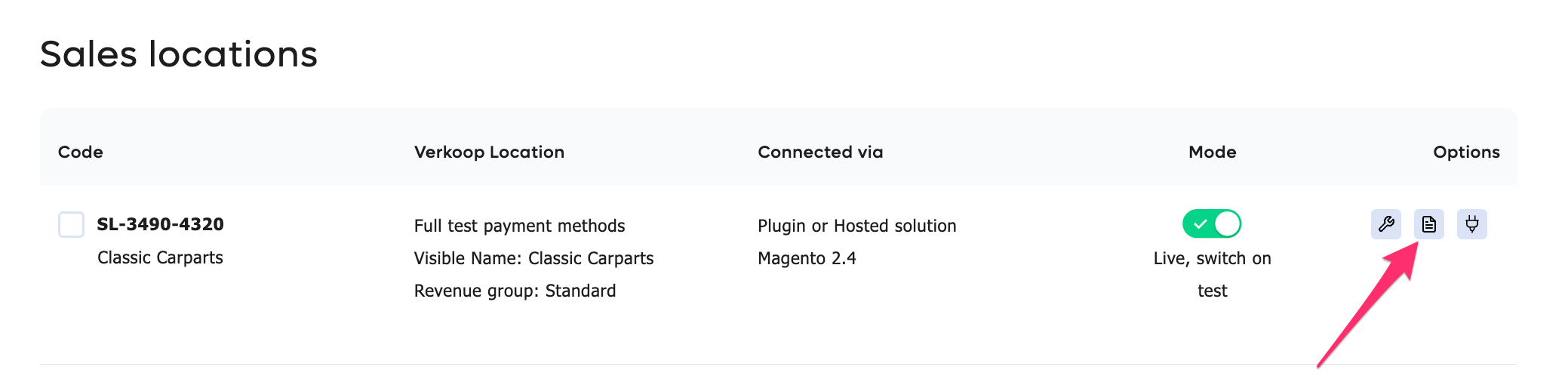
- Navigate to the Sales Location you would like to connect and hit Info .
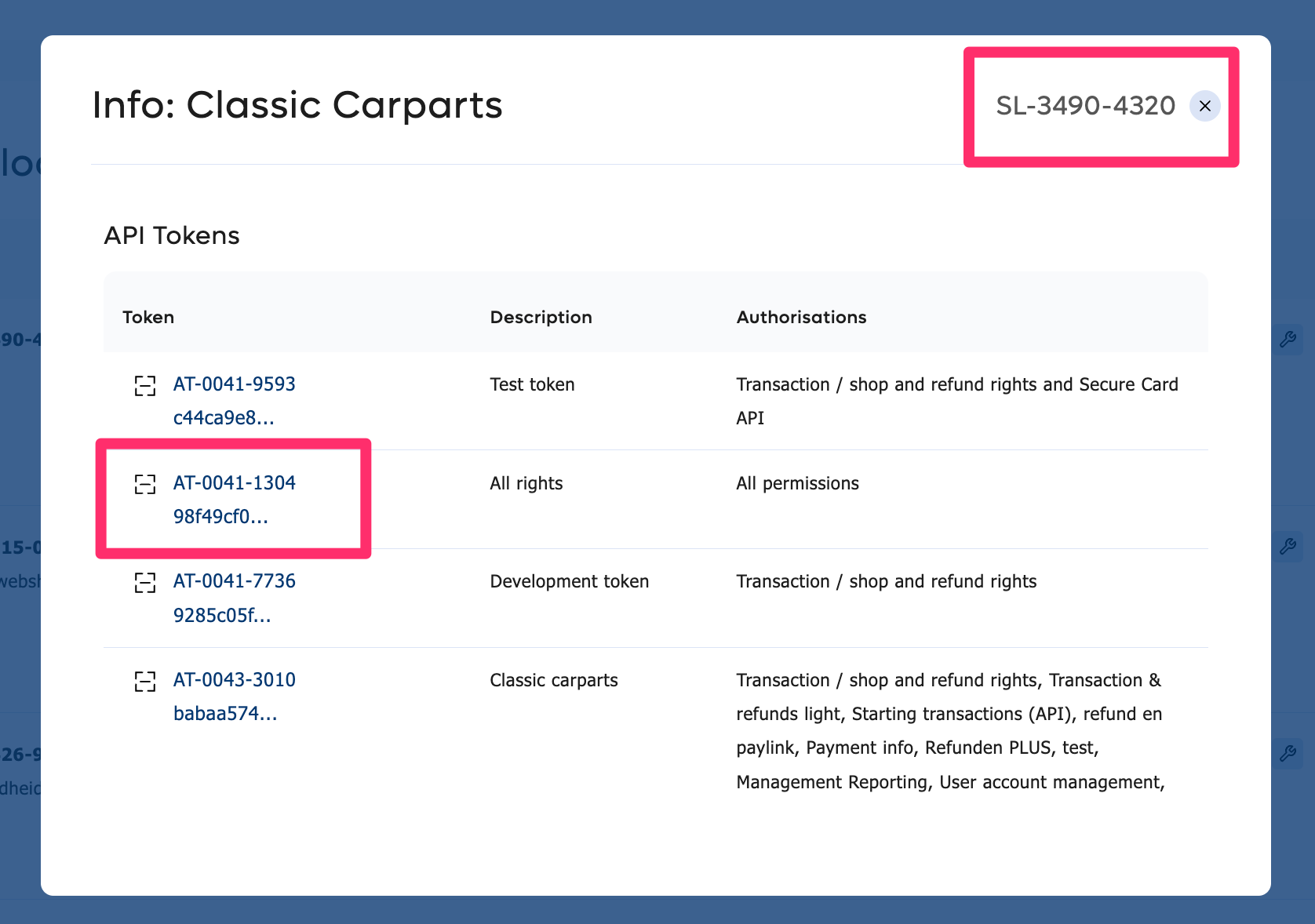
Scroll down to find your credentials. Here you can copy:- AT-code + API token (under API tokens)
- SL-code (top right)
How to activate payment methods
-
Go to the My.pay portal and log-in
-
Go to Settings > Sales locations
-
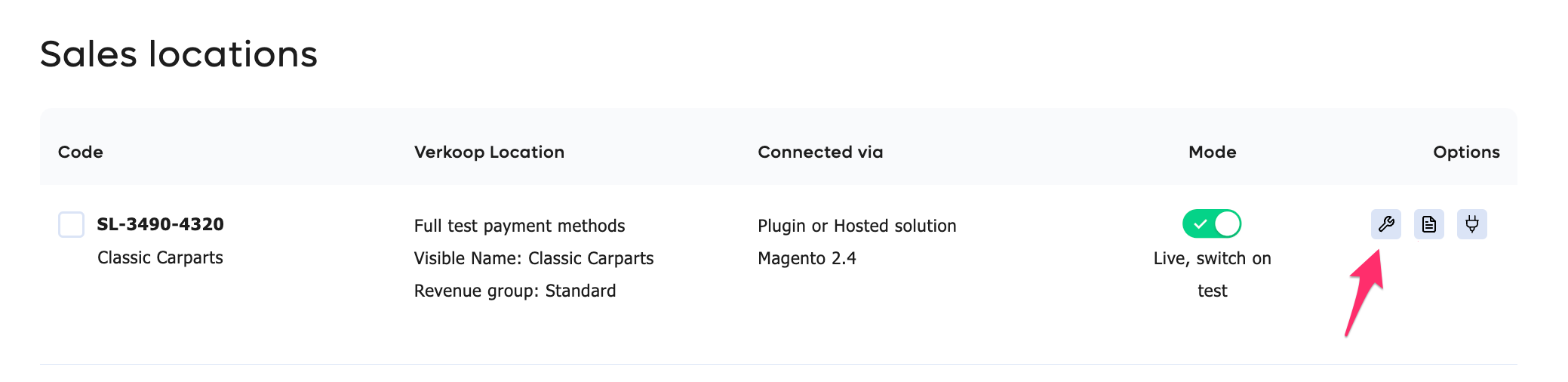
Navigate to the Sales Location you would like to connect and hit the Tool symbol to edit
-
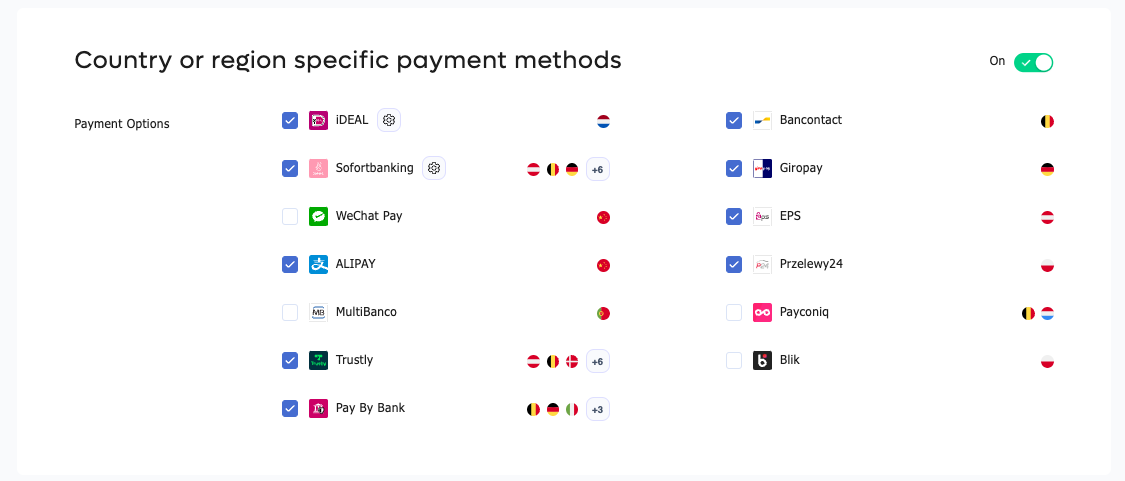
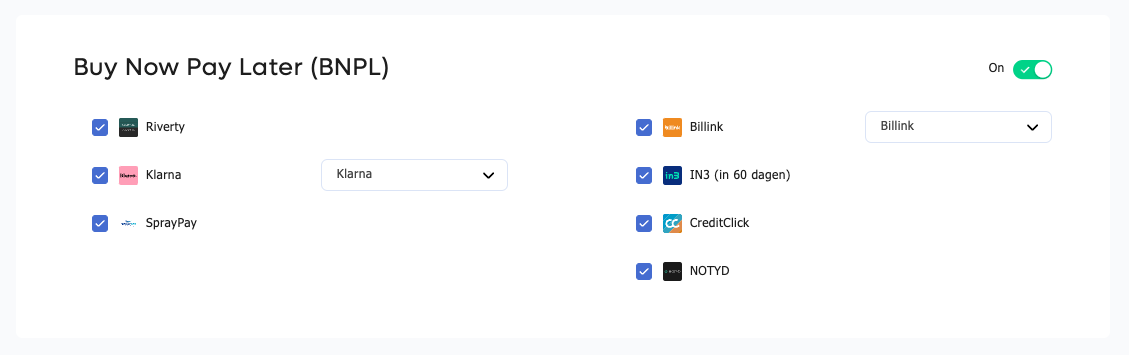
Simply activate a payment method by ticking the relevant checkbox
-
If you are not seeing any payment methods, you might have to activate the group first by turning the toggle to on

-
The payment methods for this group will then show
Updated about 1 year ago
Did this page help you?