---
updatedAt: 2025-06-18T10:04:13.000Z
agentTools:
projectIndex: https://developer.pay.nl/llms.txt
---
# Payment link by SMS
Create payment links in just a few steps
Easily send a payment link to a mobile phone number, to allow your customers to complete their payment via their smartphone.
Prerequisites
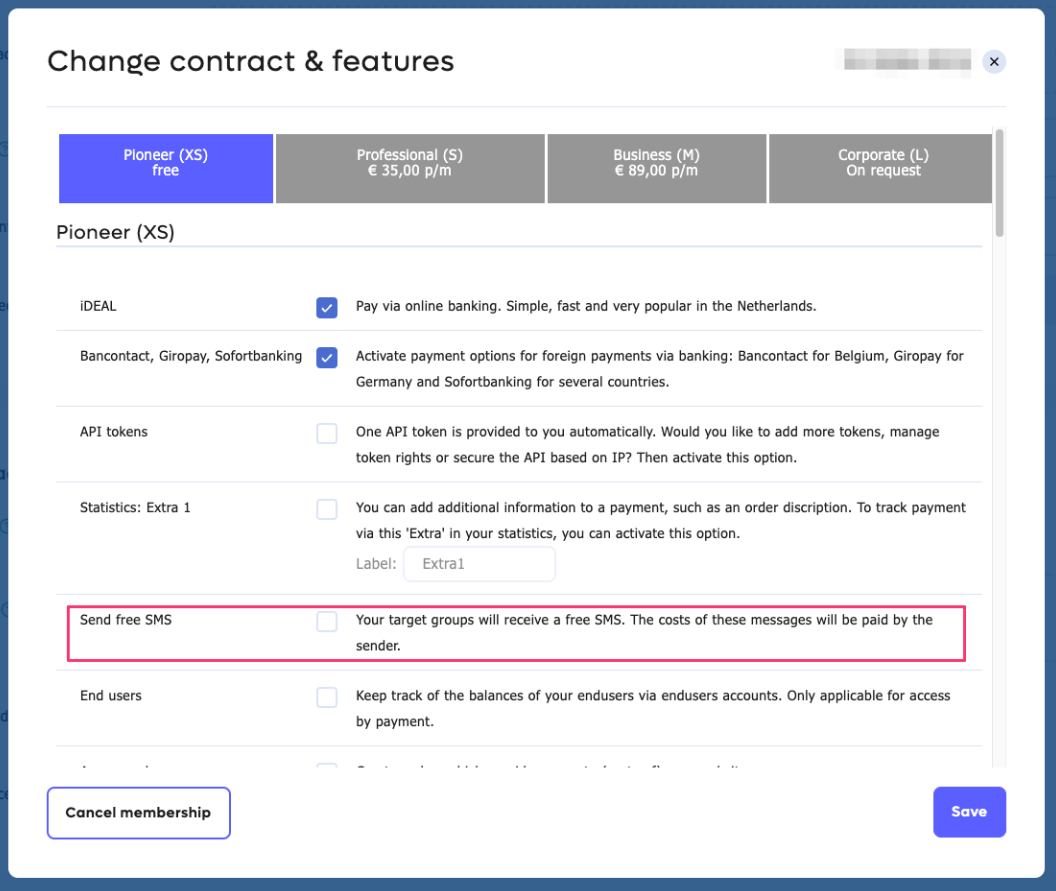
To use the payment link by SMS channel you have to enable a feature under your contract package with Pay. Navigate to *Merchant > Company information*. Under *Contract > Package* click on *Change contract & features* and enable the option *Send free SMS*.
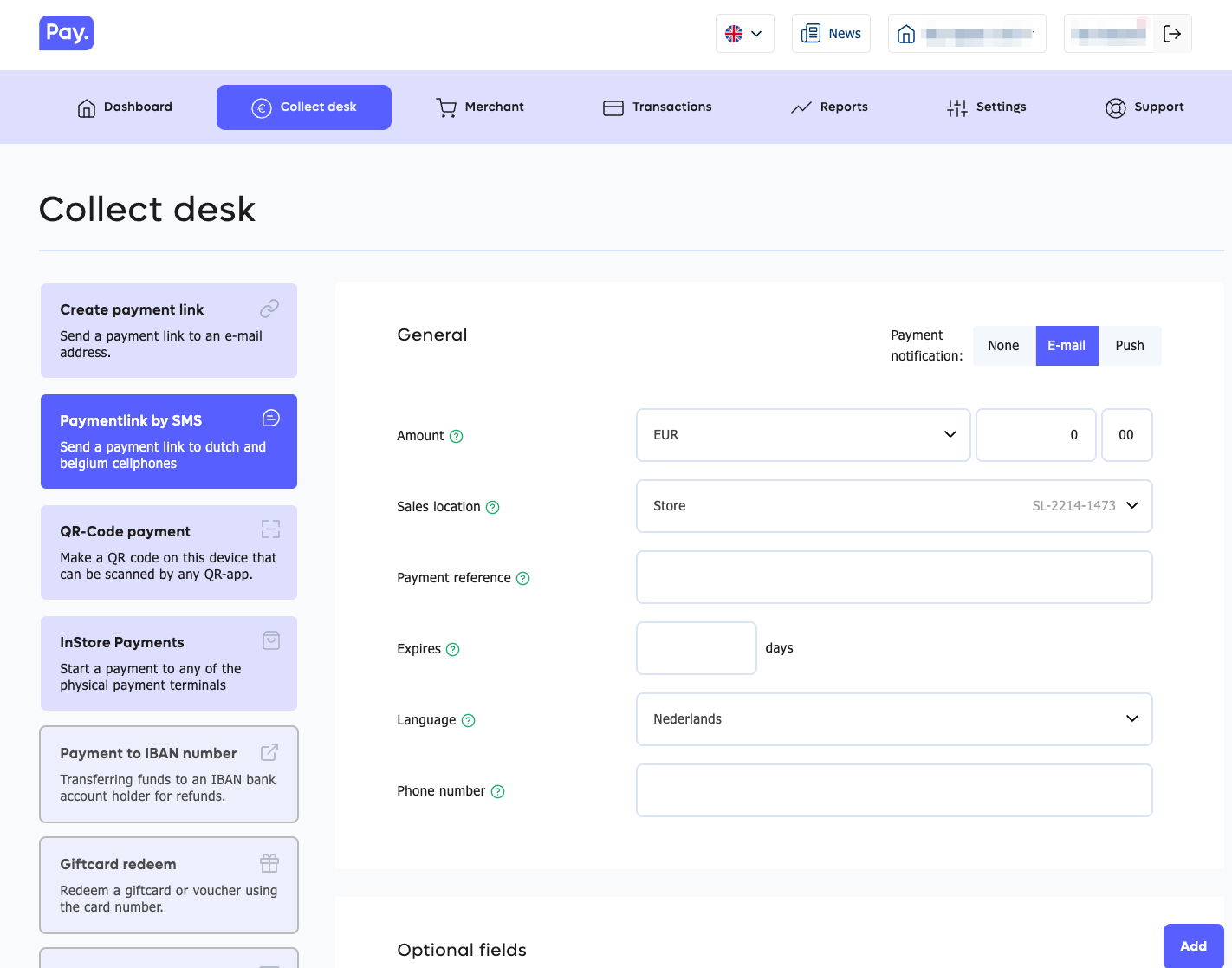
In my.pay.nl navigate to the [collect desk](https://my.pay.nl/applinks) and click on **Paymentlink by SMS**
{`
`}
Fill in the relevant details:
* **Amount:** Enter the amount to be paid. The default currency is euro, but you can also select another currency. Be aware that conversion costs may apply in that case.
* **Sales location:** Select the relevant location. This location is also visible on the payment screen for the enduser.
* **Payment reference:** Enter a description that will be shown with the payment and can also be found in the statistics.
* **Expires in:** Indicate how many days the payment link should be valid.
* **Language:** Select the language to be used for the e-mail and payment screen.
* **Phone number:** Mobile number of the recipient to which the paymentlink will be sent.
Fill in the **Optional fields**
* **Return URL:** The page where we will send the visitor after they complete or cancel their payment.
* **Ordernumber:** Transaction reference. Alphanumeric with a maximum of 16 characters, no spaces allowed.
* **Promotor code (optional):** Promotor ID of this relation.
* **Tool (optional):** Variable to set promotor-tool. For example Google-campaign.
* **Info:** Variable to set promotor-information.
* **Extra 1, 2 or 3:** Variable for custom information.
Click on the **Add** button to actually send to payment link by SMS.
> 📘 Do you want to receive a notification as soon as the payment is completed? Select the option 'e-mail’ in the upper right-hand corner of the page. If you use our app you can also select the 'push' option.